If you’ve recently changed your Facebook business page name, it might be a good idea to update the URL or Facebook username. It’s also a good idea in general to boost your search engine optimization or to make it easier to find your page in Facebook itself. Many businesses print their Facebook username on marketing materials or include the page info elsewhere. The last thing you want is a URL like facebook.com/23784t23q47898ty4wbegluse — that’s hard to remember. Giving your page a more memorable, clean URL helps people find you faster. Always change it from the default page settings!
If your username on Facebook (aka the “slug” that goes along with your page name in the URL bar) doesn’t match your branding, it’s a good idea to submit a request to change it and keep your branding consistent.
Access Your Business Page
Go to your business page on Facebook. Make sure you are signed into your business account profile to make changes to the account; otherwise, you won’t be able to edit the URL.
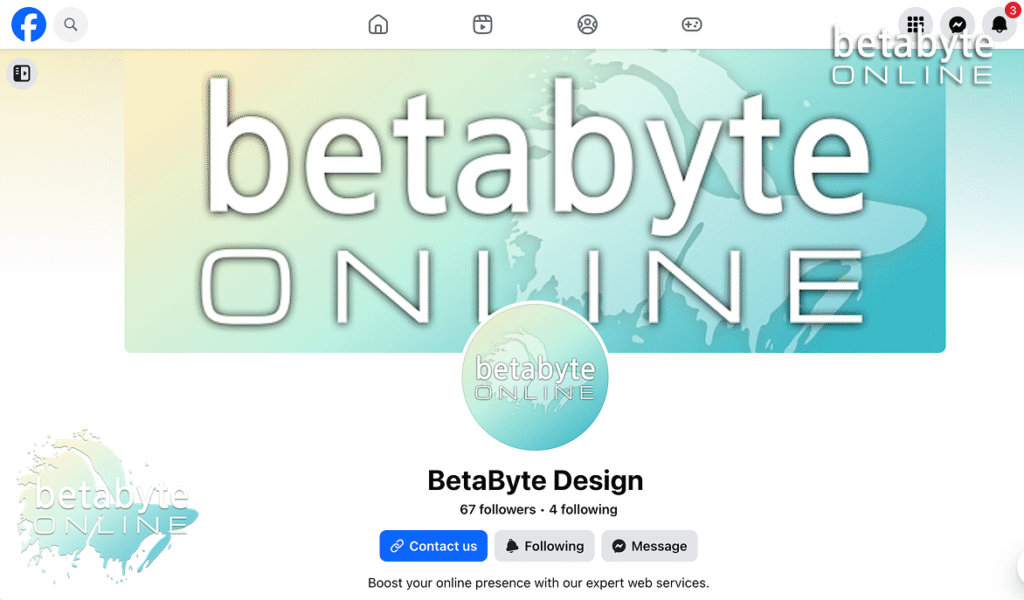
Expand the left-hand menu if it is not visible.
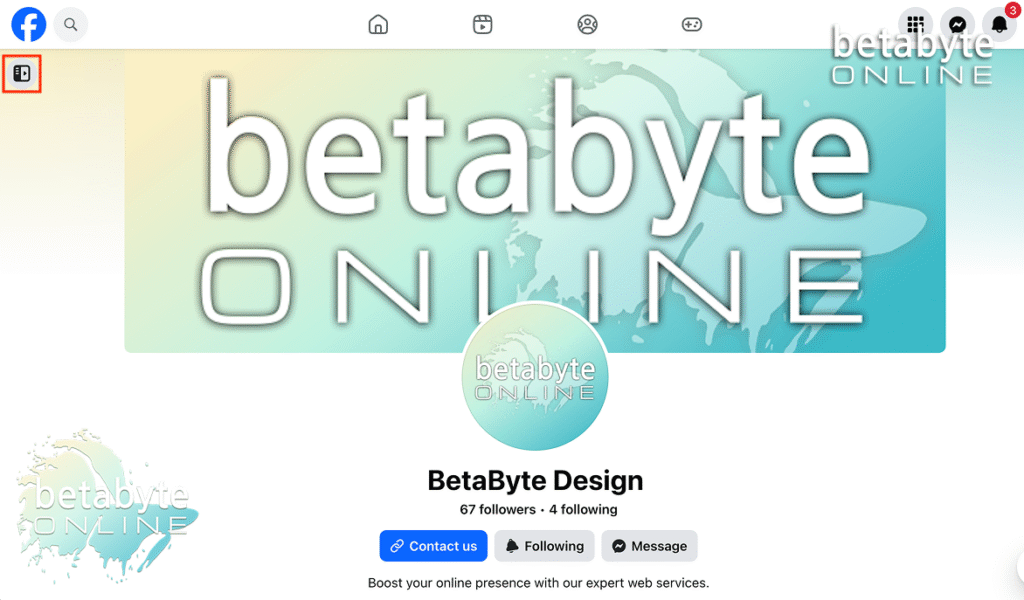
Click Settings on the left-hand menu. If you don’t see it, click Settings & Privacy first, then select Settings.
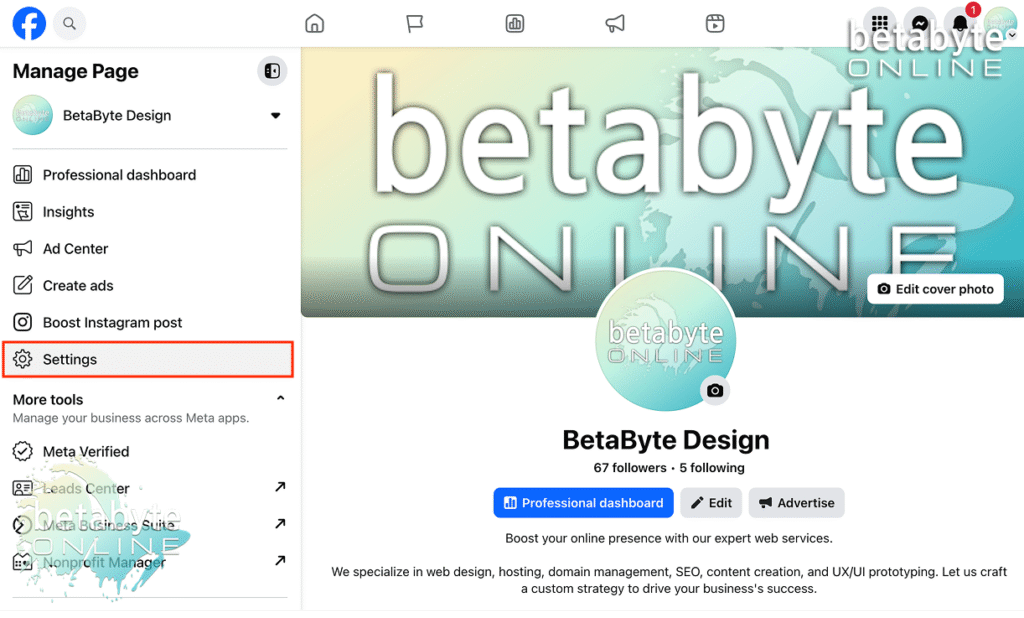
Note: If “Settings” is grayed out, it means you are either not signed into the business profile or you’re not acting as the page admin. If this is the case, you can still click Settings, and a popup will prompt you to switch to the business account profile to manage your page settings. No need to backtrack — it’s all right there for you. Easy.
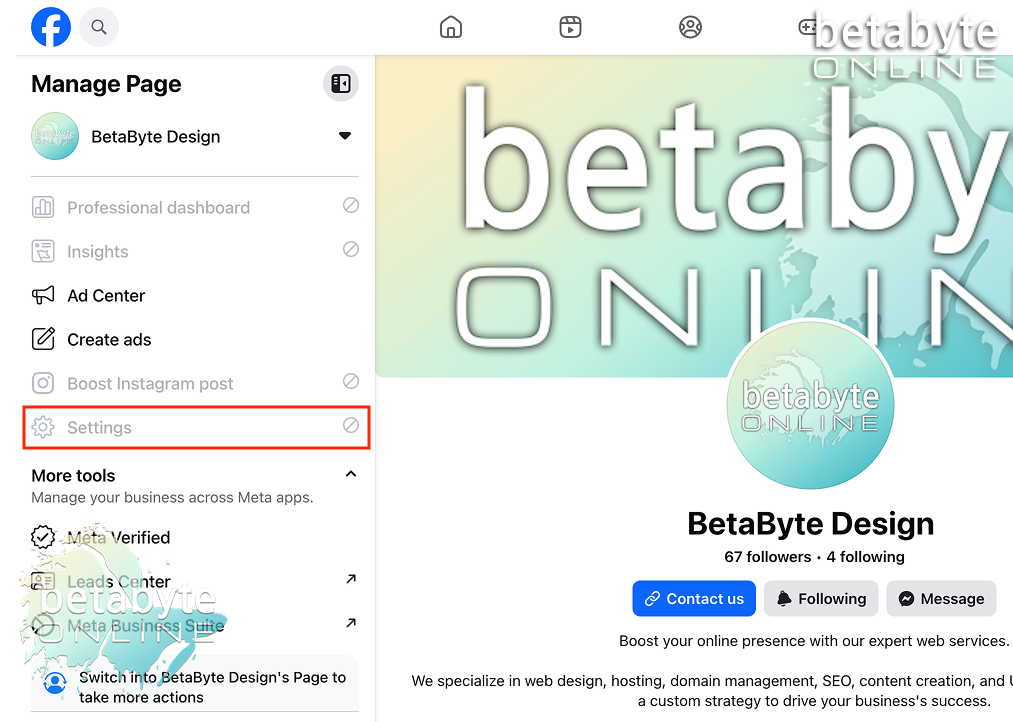
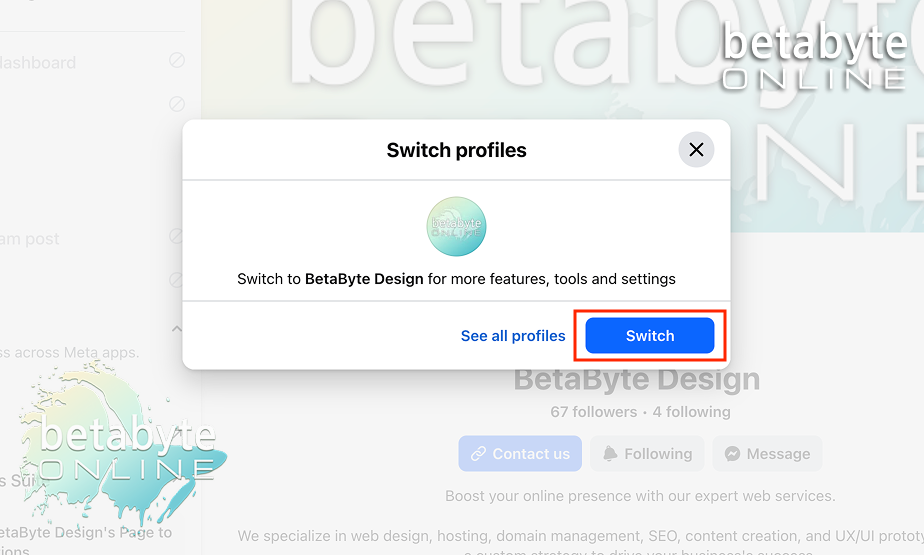
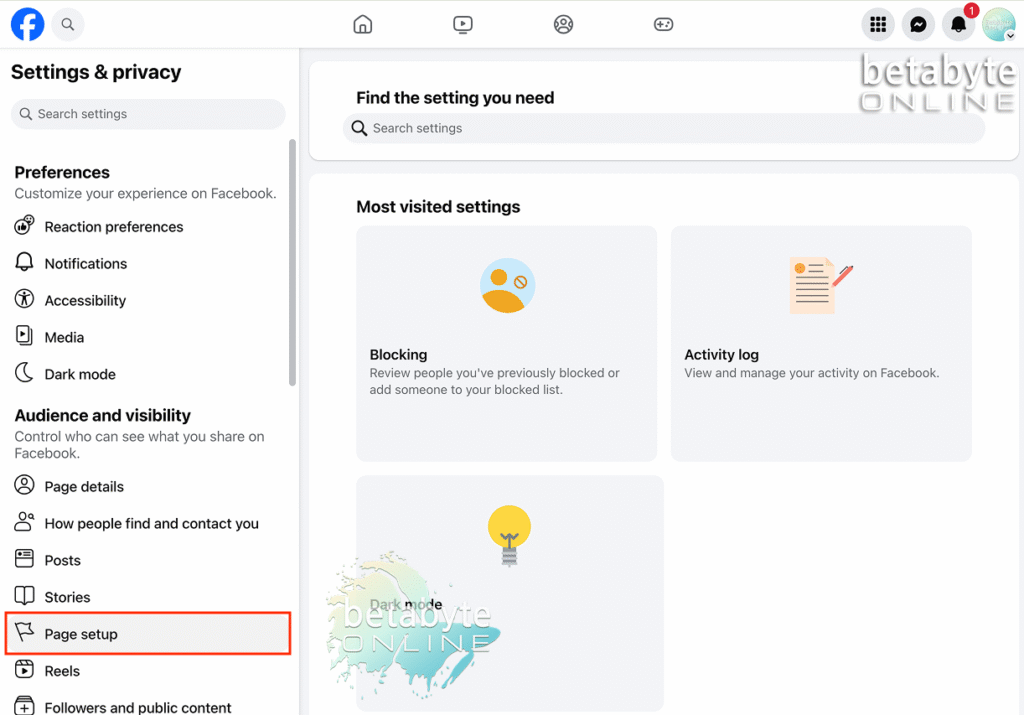
This will bring you to a new page for Settings and Privacy.
Look under the Settings menu heading for Audience and Visibility — this controls who can see what you share on Facebook. Scroll to Page Setup and select it.
Edit Your Facebook Username / URL Slug
To change the URL, select the arrow next to Name to view all the page name settings.
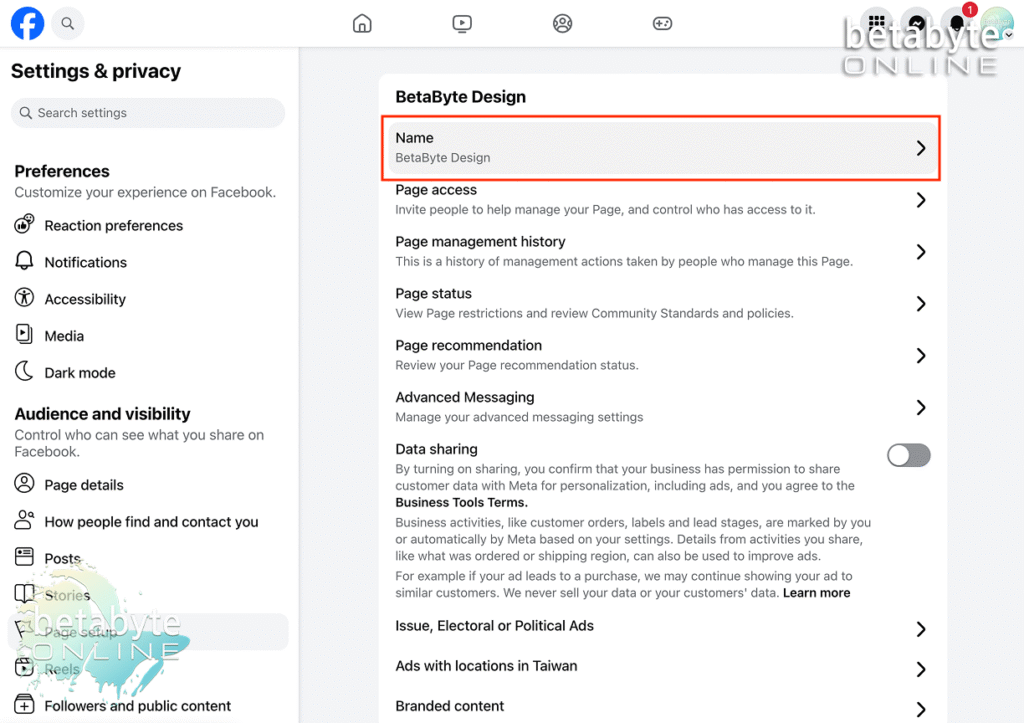
Select Edit next to the username area. (It’s called a username, but really it’s the URL slug that people type to reach your page — you can think of it like the “shortcut” to your Facebook page.)
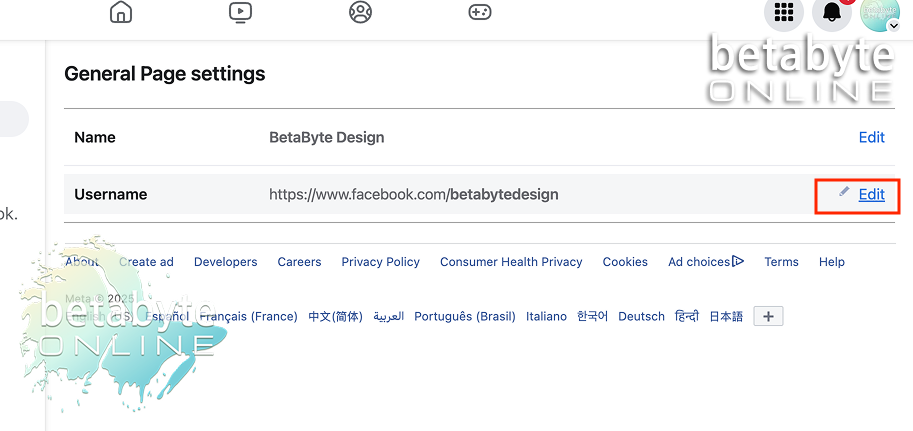
This part can get a bit tricky because you can only choose usernames/URLs that are available on Facebook. If you have a unique company name, it’s easier; if you’re in a saturated market, you might need to get creative to make your URL stand out while remaining relevant to your business.
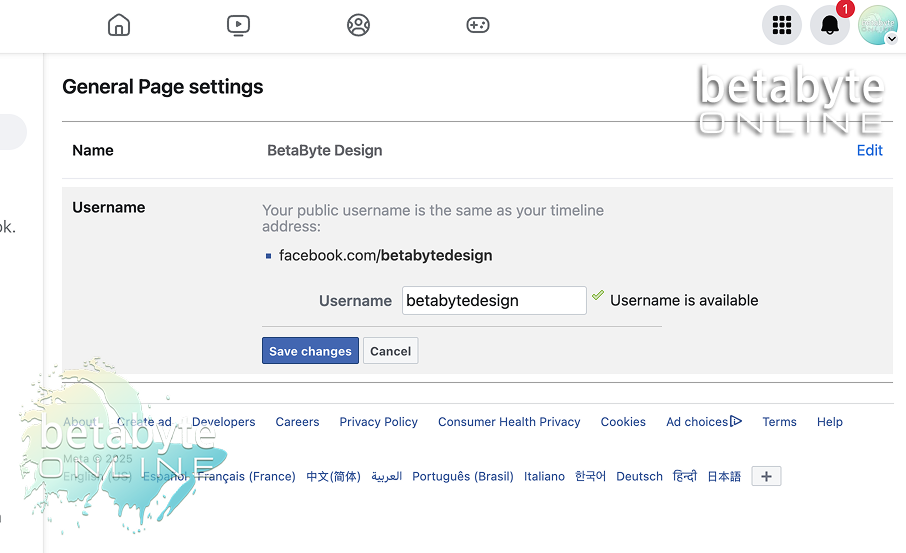
For example:
A business called “Sunshine & Rainbows Event Planning” might shorten their URL slug to sunshineevents — easier to remember, cleaner, and still on brand. This same advice applies when choosing a domain name for your website: short, catchy, memorable, and easy to spell often works better than including the entire company name.
Tips for Choosing a Memorable Username / URL
- Keep it short, catchy, and easy to spell.
- Use keywords if relevant to your service area (helps with SEO).
- Match your website domain if possible for brand consistency.
- Puns or clever abbreviations are okay if memorable.
- Test availability first on Facebook — don’t get too attached until it’s confirmed.
Check Availability
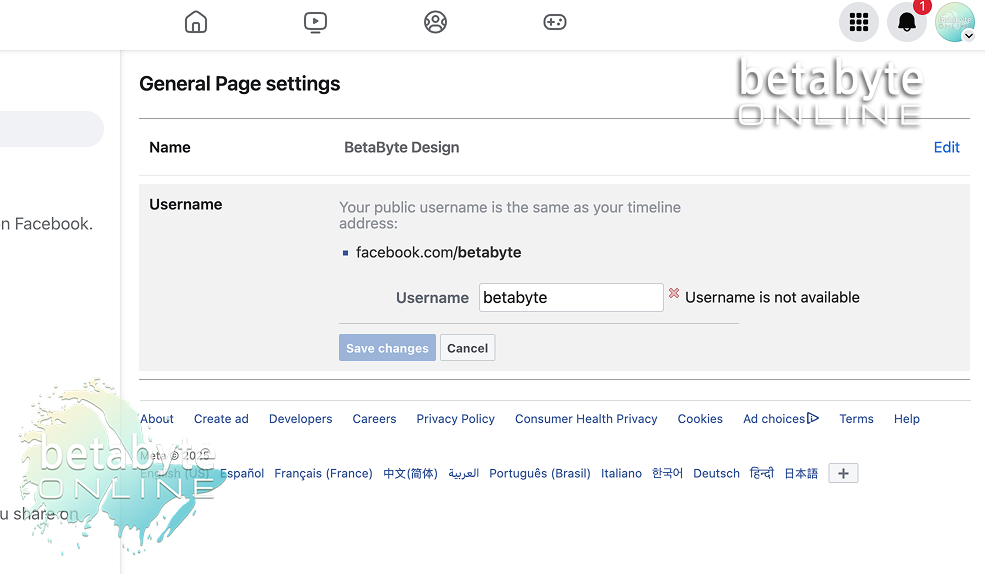
Facebook will tell you if the username is unavailable.
As you can see here, the name “betabyte” is not available, so it will not allow me to save the changes. But the username betabyteonline is available, so I’m going with that.
If you need help coming up with creative ideas for your Facebook username or domain name, AI tools like ChatGPT can help generate ideas you might not think of. Keep it short, catchy, and straight to the point.
Save Your Changes
Enter your new URL/username. When you’ve entered a username that is available, the Save Changes button will activate.
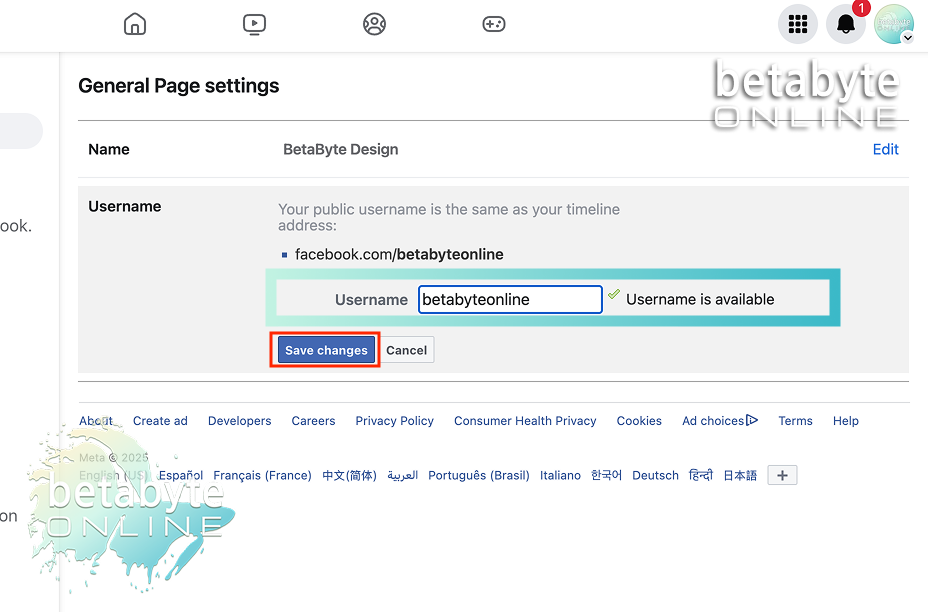
You may be prompted to enter your Facebook password connected to the admin account with full control of the page.
You might get redirected back to the main page. Simply go to the left-hand menu and select Page Setup again to view your saved changes.
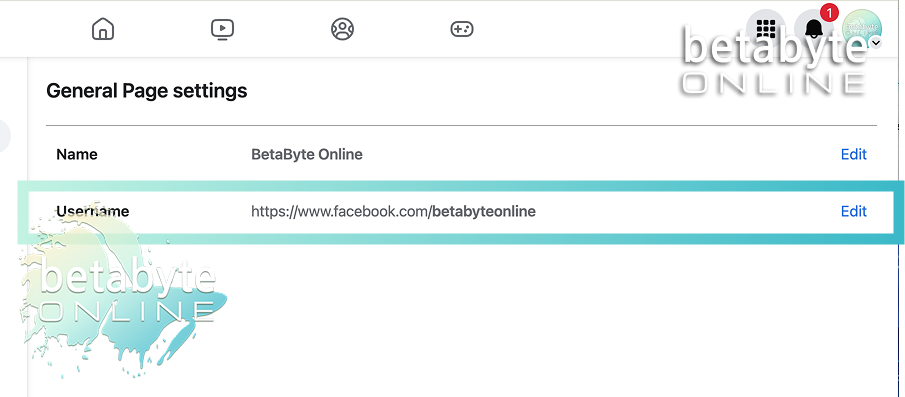
Tada! You’re done!
For more information on submitting a request to change your Facebook business page profile name through Settings, check out this article: (insert article name here).
Otherwise, happy interneting from all of us at BetaByte Online! Reach out anytime for help with boosting your online presence, social media management, web design, Facebook guidance, and more.