


If someone has added you as an admin to their Facebook business page, you’ll need to accept the invitation before you can manage the page. This is often relevant when joining a new team, helping a client, or taking on social media responsibilities for a brand. BetaByte Online is here to guide you through each step so you can get started quickly and confidently. If you need tips on adding admins or managing partner access, check out our other guides for full control of your Meta Business Portfolio.
Feel free to send this section to the person who needs to accept the invite
Log into Facebook
Log into your personal Facebook account using your usual username and password.
Check for the notification
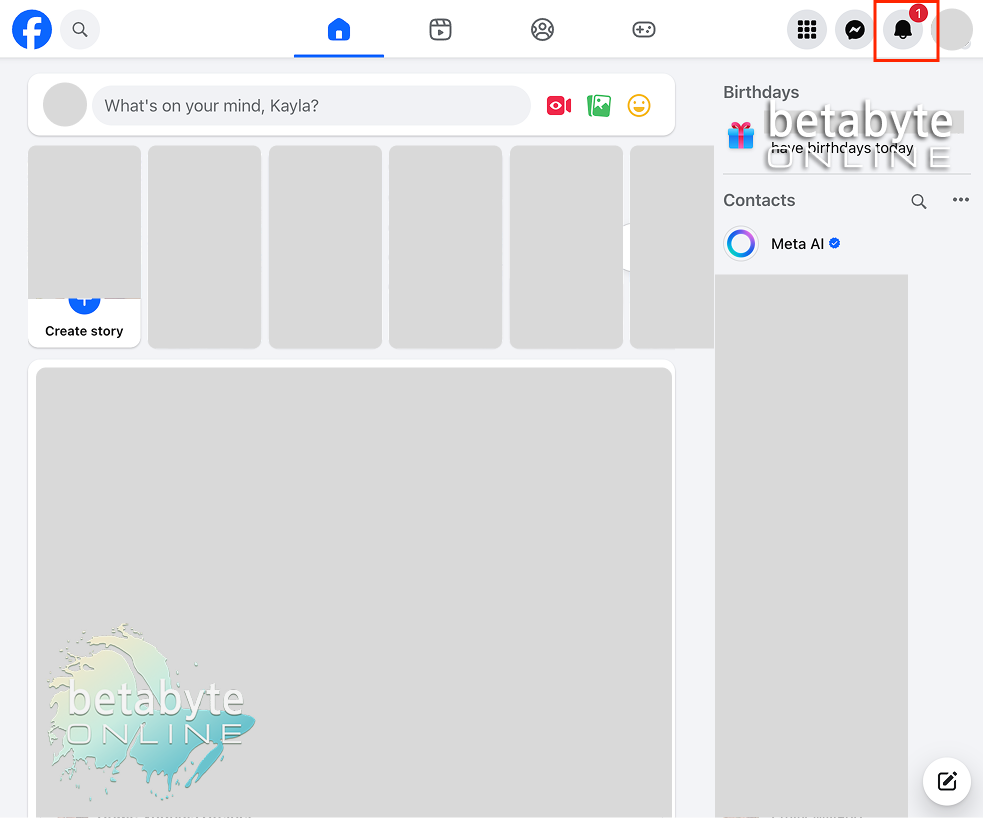
From your home page, select the notification bell.
You should see a notification about your invitation to manage the page. Sometimes it takes a moment to show up — be patient! Facebook is processing the request.
Accept the invitation
Once the invitation appears, select it and accept the request. You will now have admin access to the page.
You’re in! Time to manage like a pro
Congrats — you’ve accepted the invitation and can now help manage the page. Keep in mind, if you ever need to check admin roles, review Page Access settings, or assign partner access through Meta Business Portfolio, BetaByte Online has you covered. Don’t hesitate to reach out if you need help navigating any part of your online presence — we’ve got your back!