

Add a New WordPress Admin User on a Self-Hosted Site
Thank You for Choosing BetaByte
At BetaByte, we’re committed to delivering innovative, reliable solutions that help your business thrive online. We appreciate the trust you’ve placed in us and look forward to providing expert guidance and ongoing support as we manage and optimize your website.
To properly maintain and support your WordPress site, we require Administrator access. This allows us to perform updates, troubleshoot issues, and ensure everything continues running smoothly. The instructions below walk you through the simple steps to add a new Admin user to your self-hosted WordPress site. If you have any questions along the way, we’re always here to help.
How To: Add a New WordPress Admin User
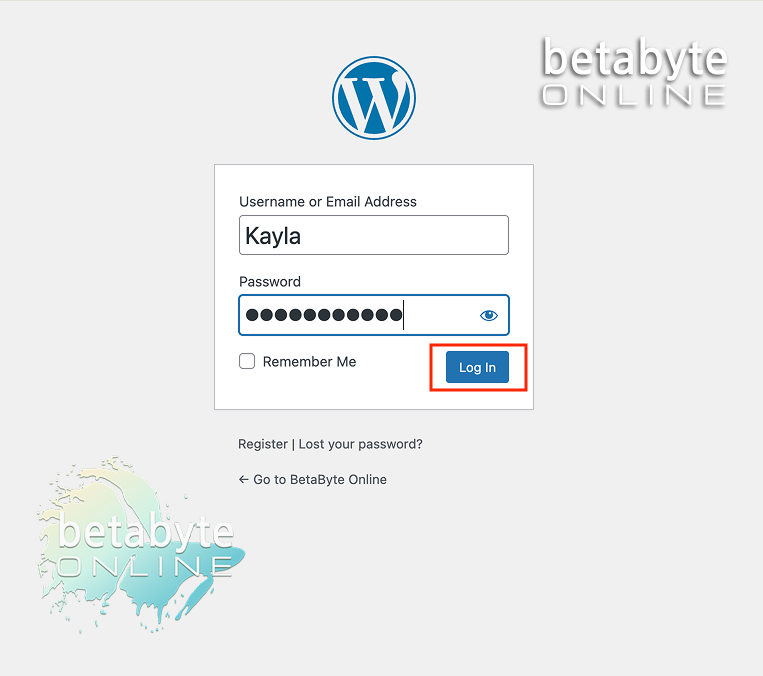
Log in to your WordPress website
If you’re not sure how to access your WordPress Dashboard, you can find it at yourdomain.com/wp-admin. Enter your login details.
Once logged in, you will be taken to your Dashboard.
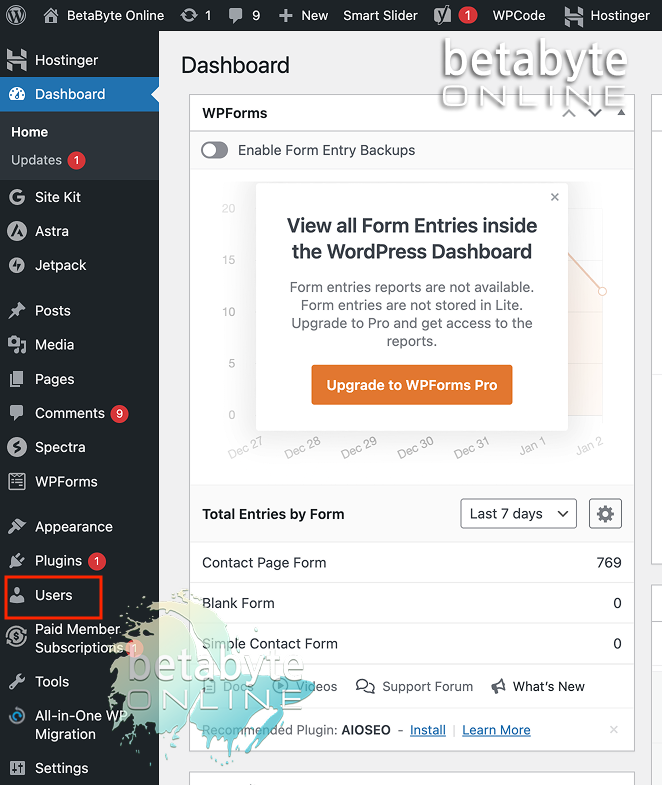
Open the Users menu
From the left-hand menu, select Users.
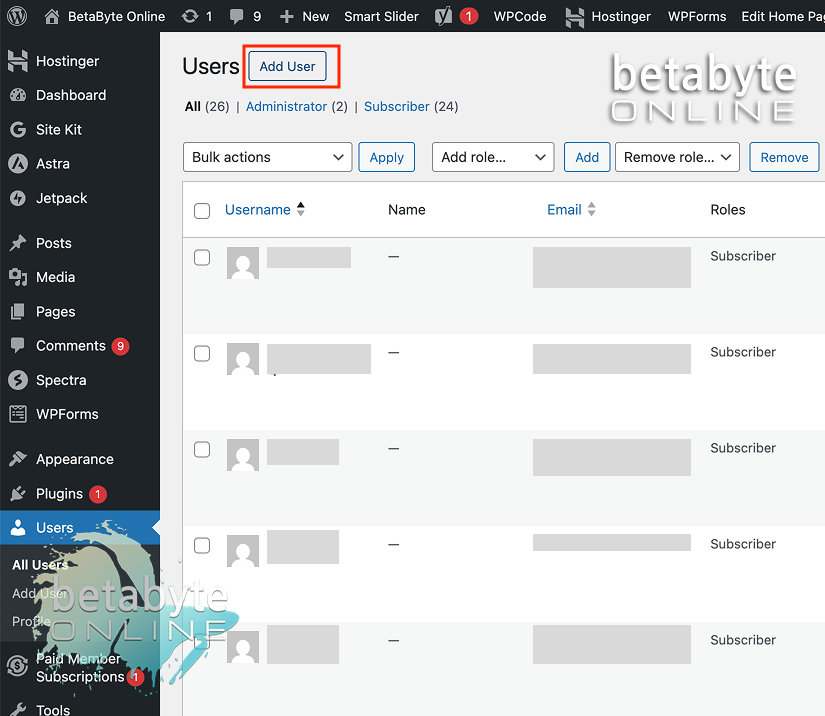
Add a new user
At the top of the Users page, click Add New (or Add a Team Member, depending on your setup).
Enter the administrator Username and Email
For Username, enter the new administrator’s email address.
Enter the same email address for “Email (required)”
Use the contact email address provided to you by BetaByte Online to assign administrator access.
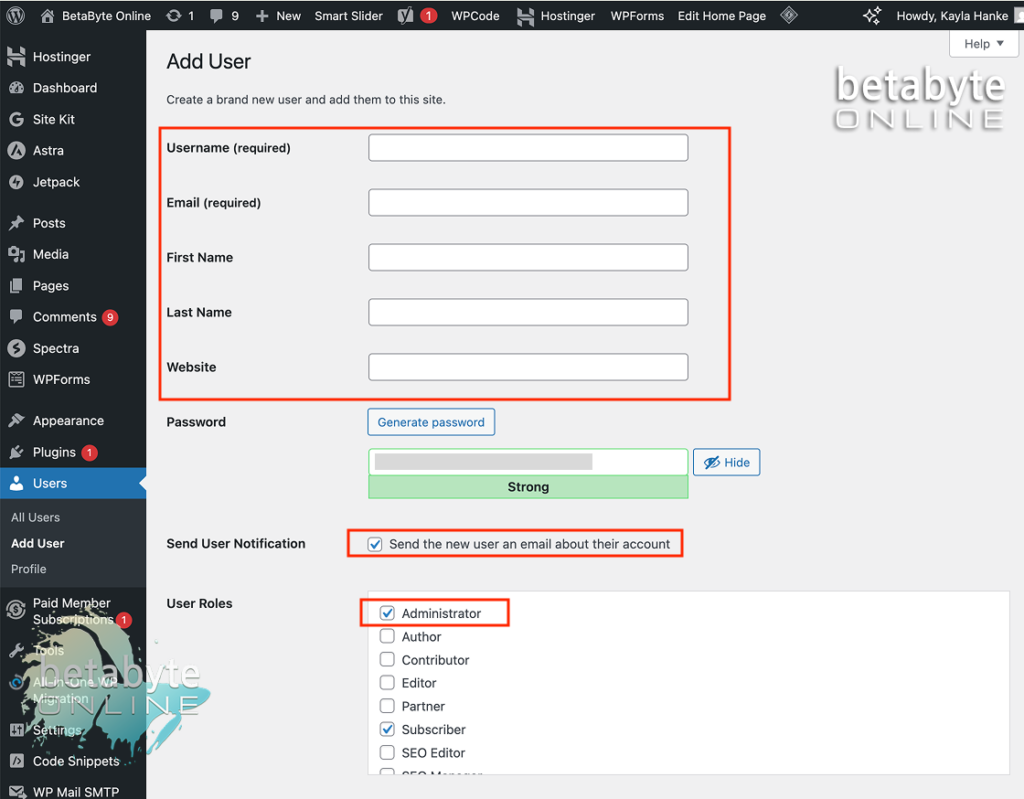
Fill out the user information
Complete the form and set the User Role to Administrator.
Under “Password”, generate a temporary password for the new administrator.
Make sure the “Send the new user an email about their account” box is active – this will allow the new administrator to create their own login credentials to manage your page, and to reset the password after logging in.
Send the invitation
Scroll to the bottom of the form and select Add User.
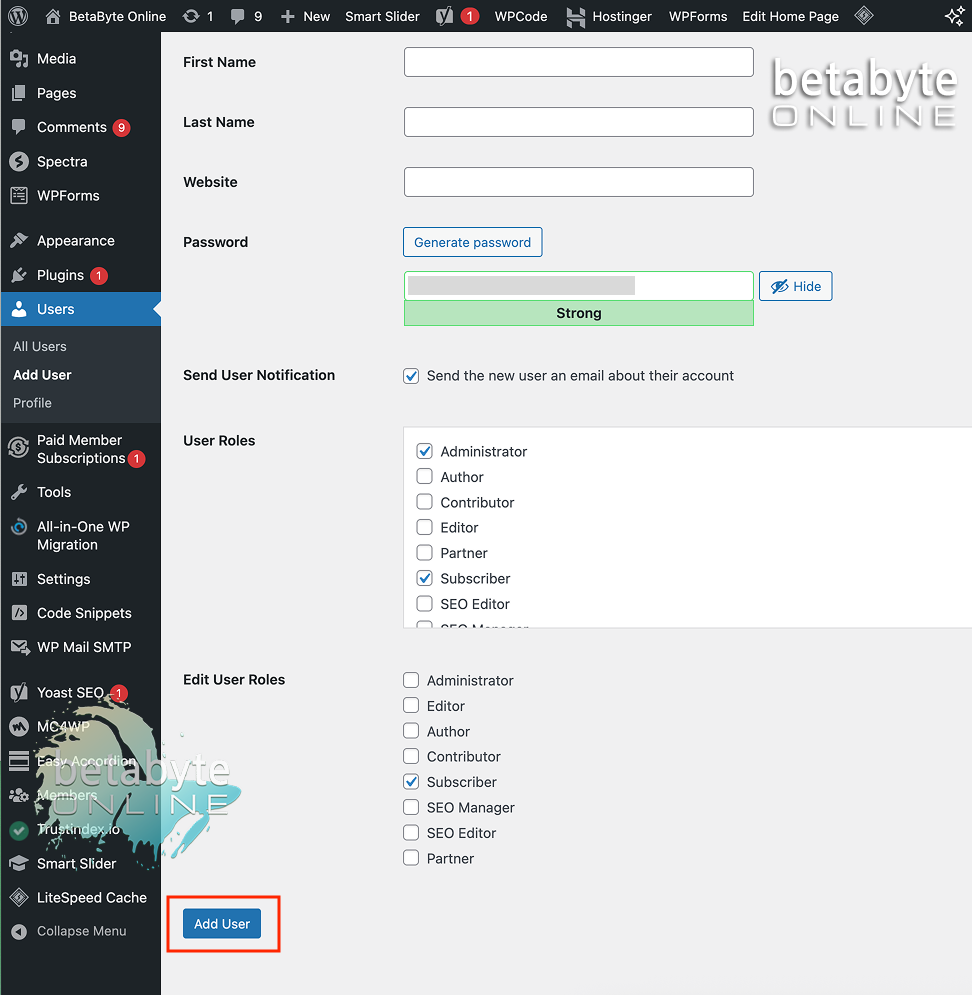
Once the invitation is accepted, BetaByte will have the access needed to securely manage, maintain, and support your website. Thanks again for choosing BetaByte—we’re excited to work with you!