Connecting WPForms (or other third-party tools) with your Google Workspace ensures your forms can securely pass information without running into errors or security blocks. Setting up this access only takes a few minutes, and once complete, your app will be fully verified and trusted within your Google Admin account.
Step 1: Log in to Your Google Admin Account
Go to your Google Admin account. You can access it at Google Admin or this link: https://admin.google.com
Step 2: Navigate to API Controls
From the main dashboard, select:
Security > Authentication > Access and Data Control > API Controls
Step 3: Understand What an API Key Is
If you’re new to API keys, check out this helpful article: What Is an API Key?
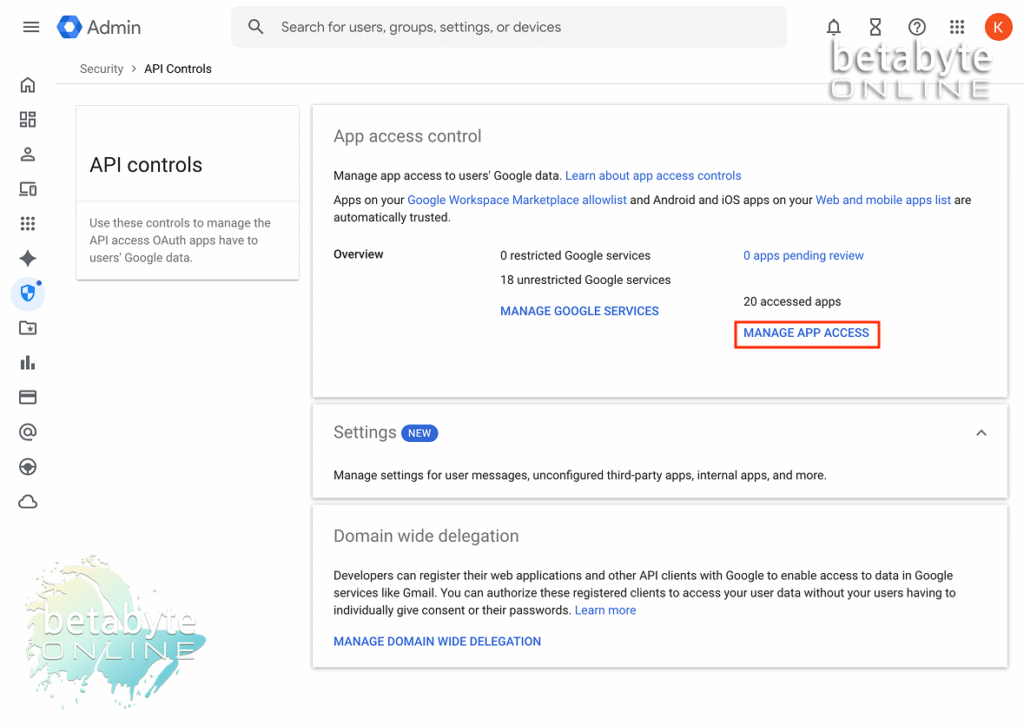
This dashboard shows how many apps you have connected with your Google Workspace API key.
Common examples include:
- Google Maps integrations (embedding maps on your website)
- Form plugins (like WPForms)
- Calendar or scheduling tools
- Email security systems
These connections exist so apps can securely exchange data between your Google Workspace and the third-party tool.
Step 4: Manage App Access
Under API Controls, select Manage App Access.
Step 5: Configure a New App
Click Configure New App.
Step 6: Search for WPForms
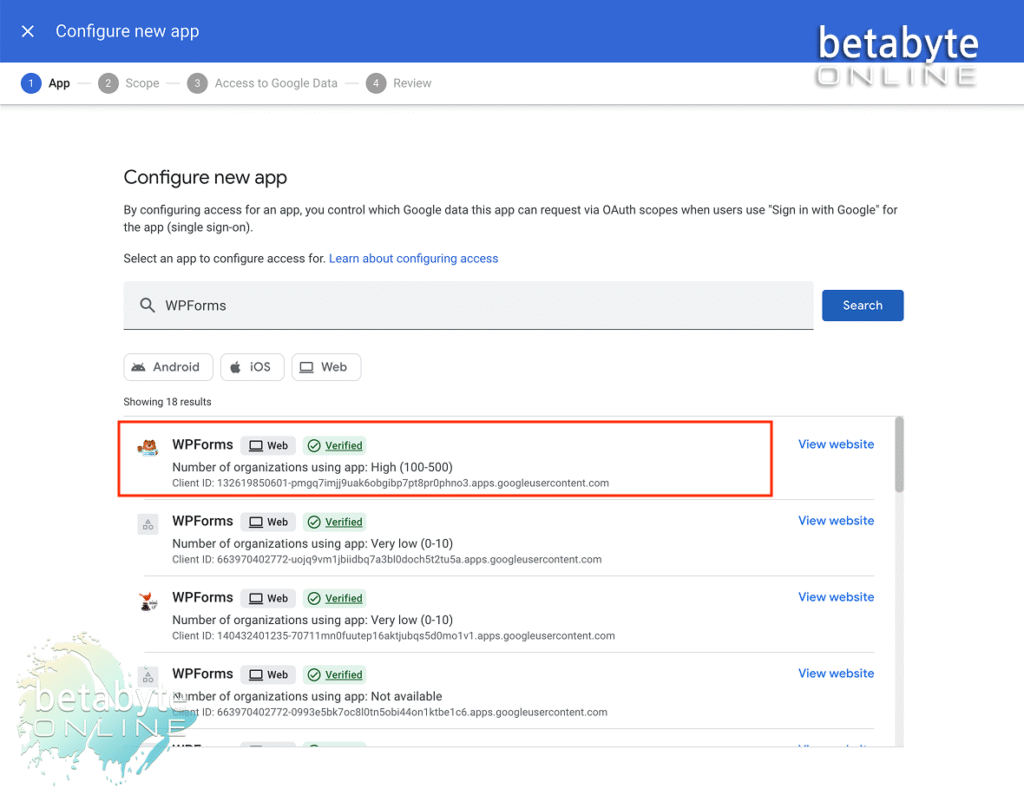
A search menu will appear. Type “WPForms” into the search bar.
You should see WPForms show up in the list as a verified app. Click WPForms to connect it with your Google API key.
Step 7: Apply Organization-Wide Access
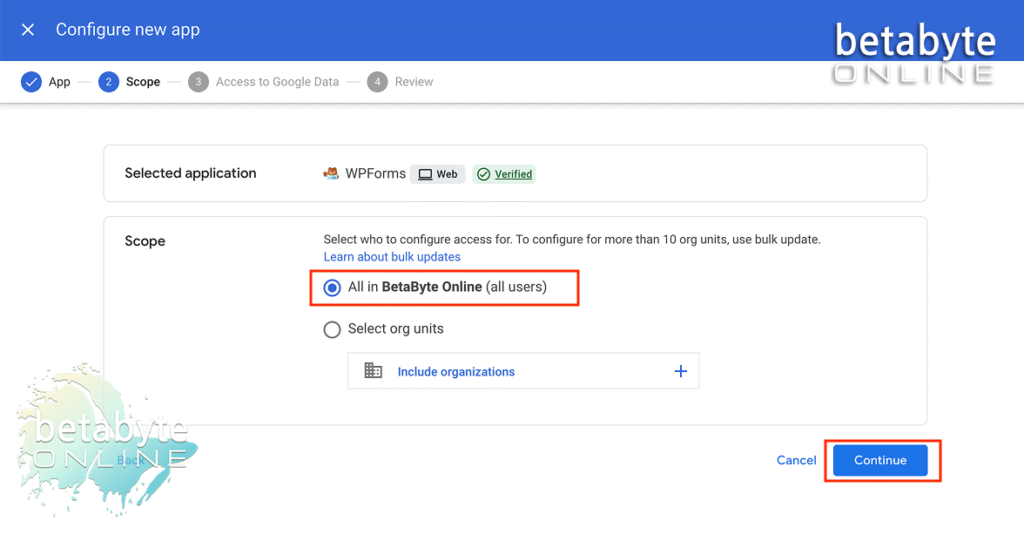
If you are the super admin of your organization’s unit in Google Workspace, select All Users to include your entire organizational unit. Then click Continue.
Step 8: Set App as Trusted
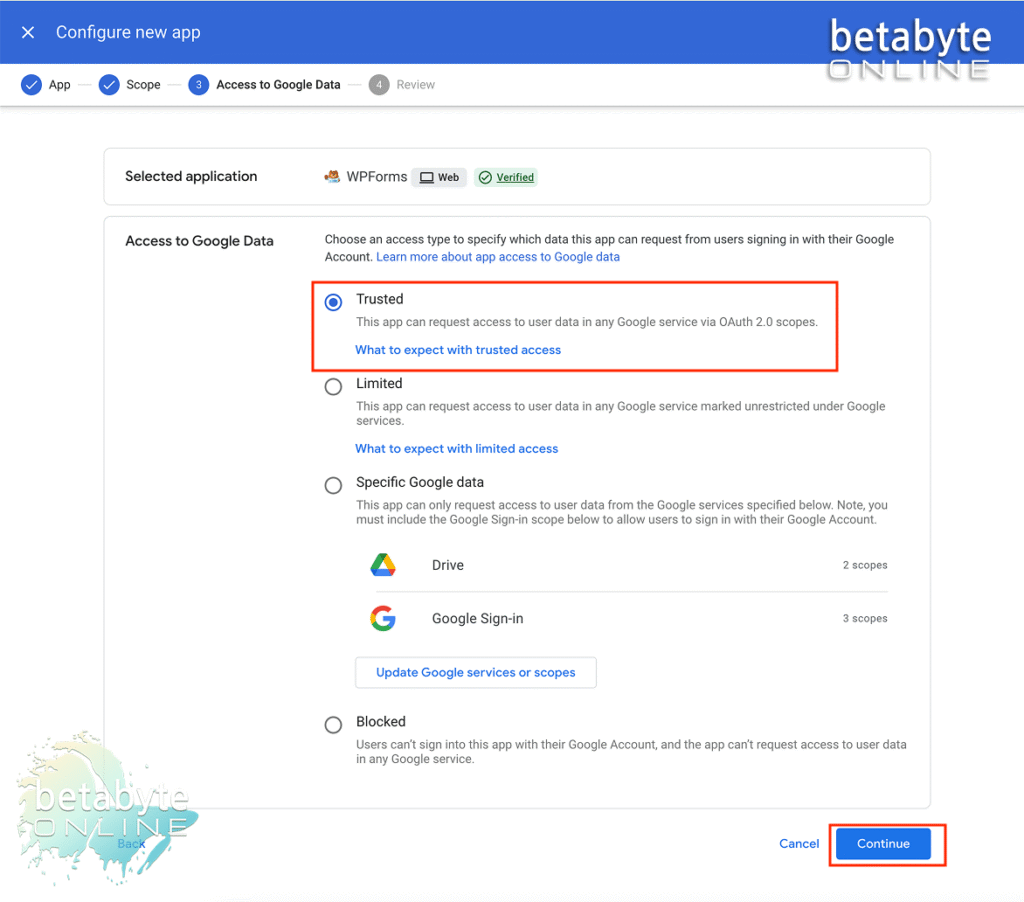
Choose Trusted, then click Continue.
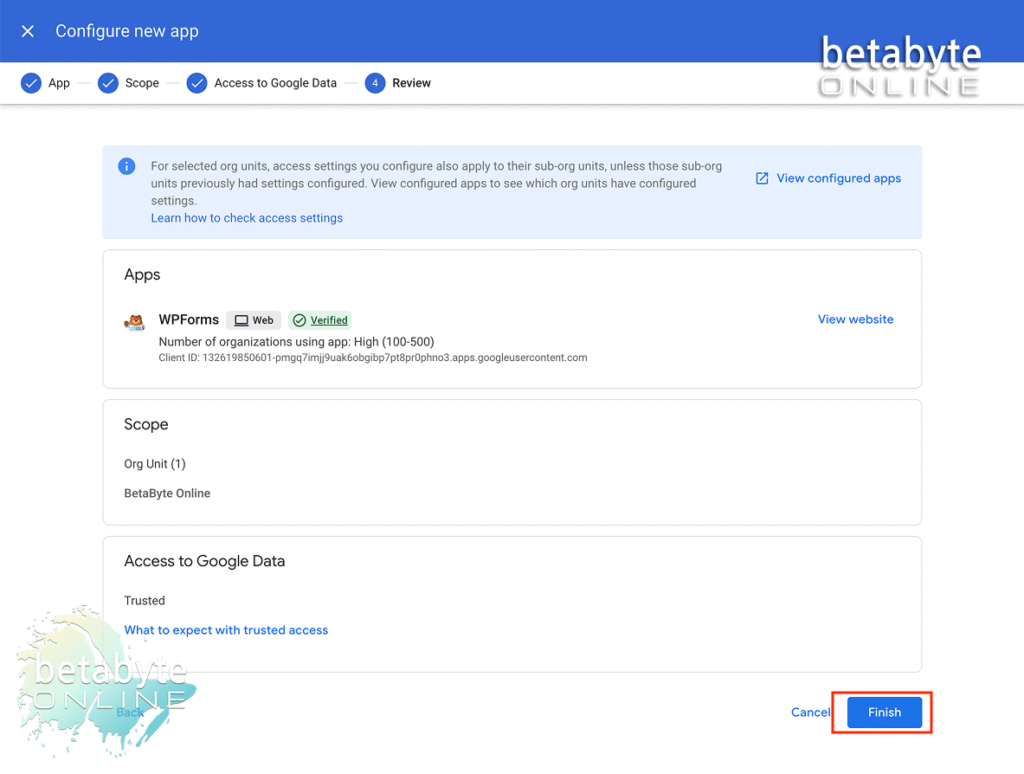
Step 9: Review and Confirm Settings
Double-check all your information, then click Finish.
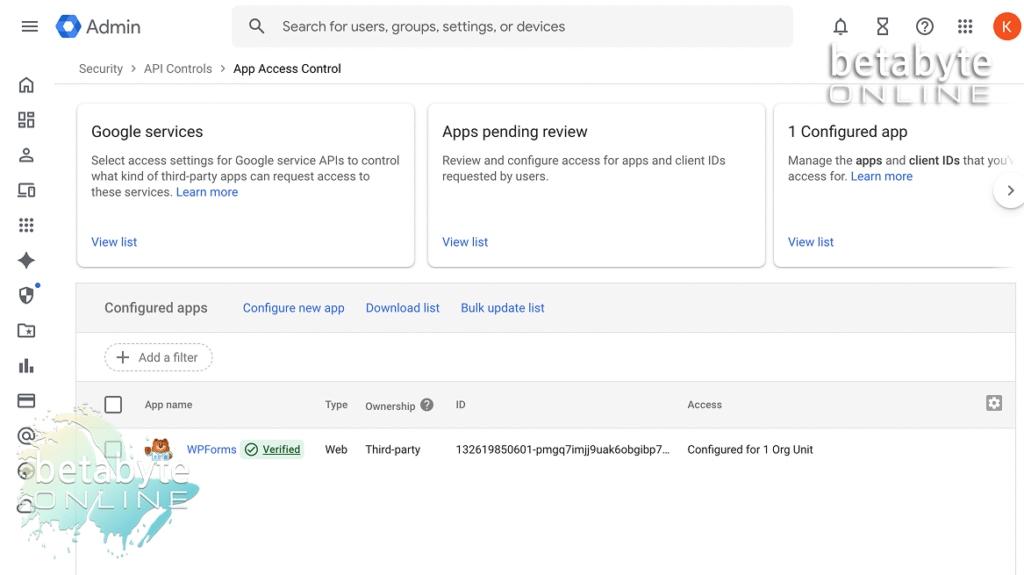
Step 10: Verify WPForms Access
WPForms should now appear as a configured app in your Google Admin system. From here, you’ll be able to view:
- The App ID
- Who is allowed access (in this case, your full organizational unit)
Step 11: You’re Done!
That’s it — WPForms is now successfully connected to your Google Workspace via API. 🎉
By granting access between WPForms and Google, you’re ensuring your forms can send data smoothly and securely across platforms. This setup protects your organization, improves reliability, and eliminates headaches caused by blocked or unverified connections.