Ensuring your DKIM key is properly configured is crucial for your emails to be trusted and delivered successfully. This guide will walk you through turning on DKIM in Google Admin and verifying that it’s working correctly.
Before you begin, make sure you’ve already generated a Google DKIM key and added it as a TXT record in your DNS settings with your domain host provider. If you need step-by-step directions for generating your DKIM key or adding it to your DNS, check out our instructional articles here:
What is a DKIM Key and Why do You Need One?
How to Generate a DKIM Key with Google Workspace
How To Add A DKIM Record To Your Domain With Google Workspace (And Why You Need To)
If you’ve already completed these steps, you’re ready to move on to the next stage: turning on DKIM authentication in Google Admin and confirming that it’s active.
Turn On DKIM in Google Admin
Sign Into Admin Console
First, sign into your Google Admin Console with an administrator account.
Note: You’ll only see these settings if you have administrator privileges. If you don’t, reach out to your Google Workspace admin or coordinator. And if you’re totally lost and have no idea what we’re talking about, feel free to contact us at BetaByte Online! We’re happy to sort through these details for you while you focus on running your company.
Navigate to DKIM Settings
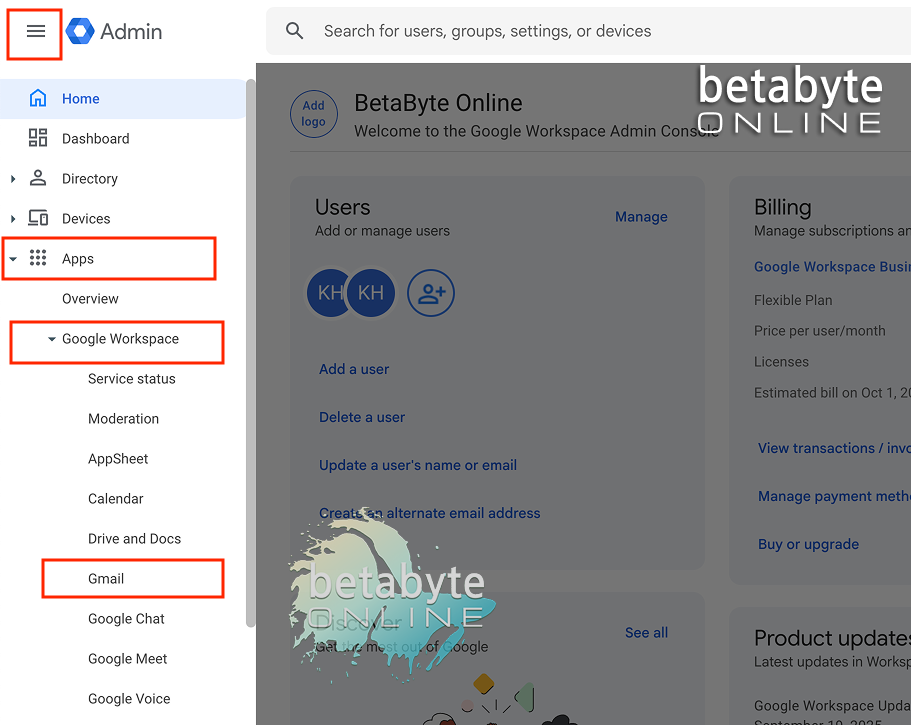
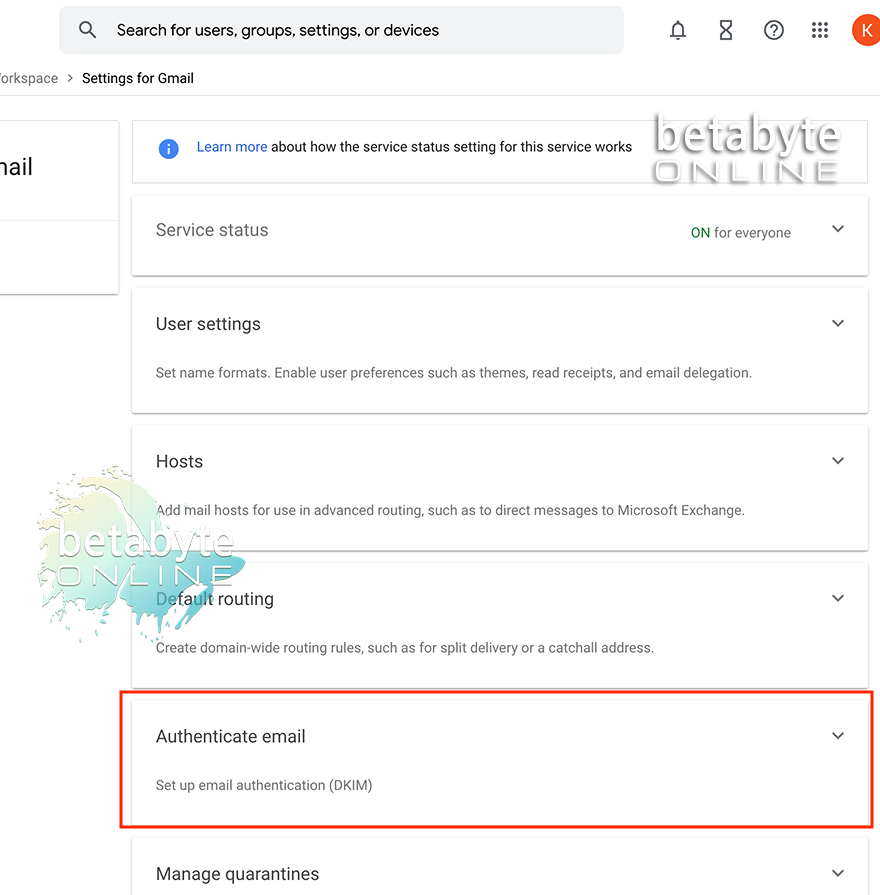
In the Admin Console menu, go to Apps > Google Workspace > Gmail.
Authenticate Email
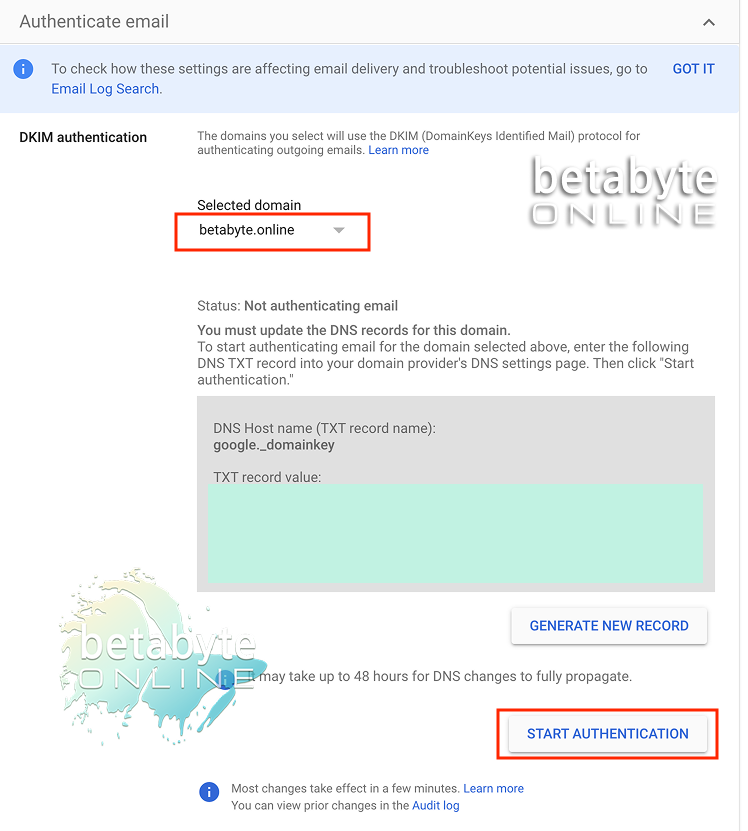
Click Authenticate Email. In the domain dropdown, select the domain you want to enable DKIM for.
Click Start Authentication.
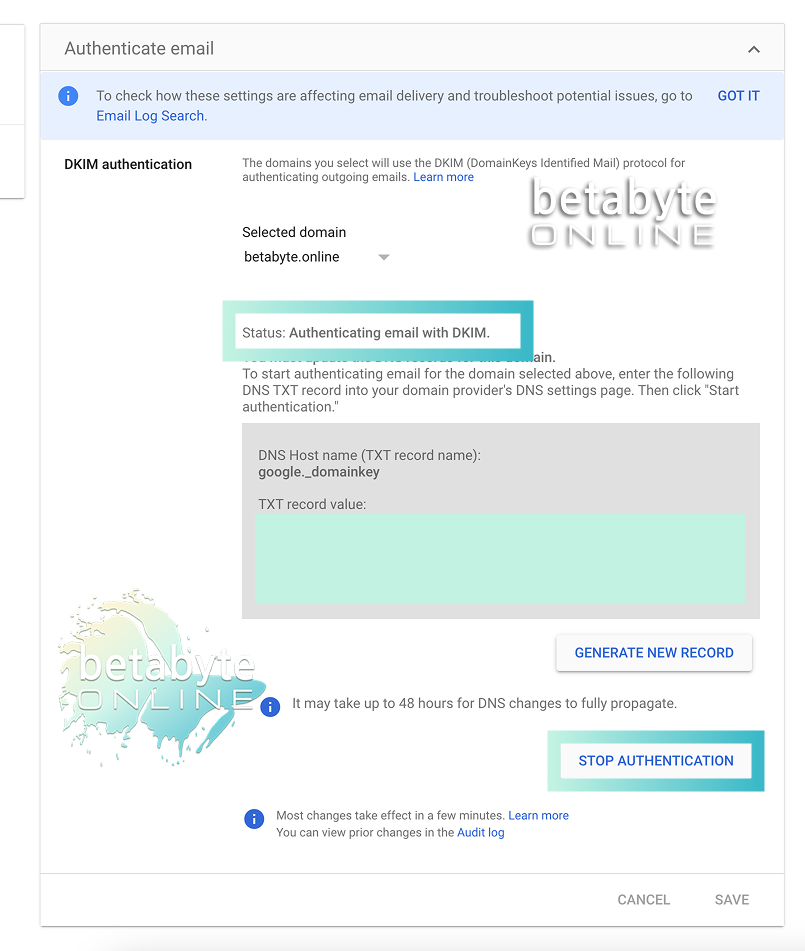
Confirm DKIM Status
Once enabled, the button will change to Stop Authentication, and the status will read: Authenticating email with DKIM. This means your domain is now signing outgoing messages with your DKIM key.
Why Proper DKIM Setup Matters (And How We Can Help)
Setting up your DKIM key correctly ensures that your emails are authenticated, trusted, and more likely to reach your recipients’ inboxes instead of getting flagged as spam. It’s a small step with a big impact on your email deliverability, domain reputation, and overall professional credibility. If at any point you feel unsure about editing your DNS records or generating your DKIM key, don’t hesitate to reach out to us at BetaByte Online. We’re happy to guide you through the process, troubleshoot any issues, and make sure your email setup is rock-solid—so you can focus on running your business without worrying about lost or misrouted messages.